Paul Does Dopa is a personalized EHR companion—not a replacement for an enterprise EHR though my interest has jumped significantly.
The goal was—and still is—to create an active-use case that helps me, my family, and providers review and act on information that otherwise gets lost between systems.
Medical group IPAs and smaller networks often lack seamless integration—care is still managed with faxes, phone calls, or portals that don’t talk to each other. And Even When They Can, They Don't.
This app has helped fill that gap by tracking meds, vitals, symptoms, notes, providers, and attachments in one place, with optional provider access to view or update key fields.
When formal integrations (e.g., Epic/MyChart) aren’t available (or utilized), it bridges the gaps with counts, relational lookups, and quick recall of what happened and when.
This EHR is intentionally designed for mobile first, but it can also be accessed through a browser
(recommended: Google Chrome; optional: Microsoft Edge).
It functions like a native app when added to the Home Screen in Safari.
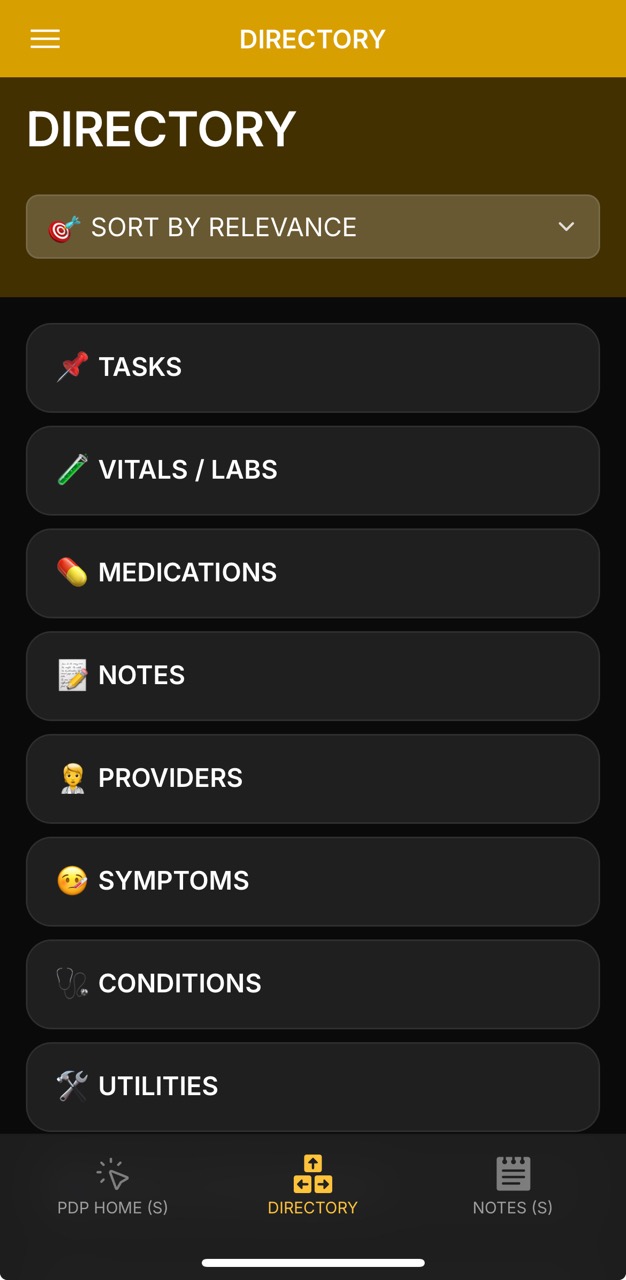
Quick Preview of Collections: At a glance, this screen highlights active and in-progress collections based on current priority. Tasks are placed at the top of the list so you can stay ahead and on track with daily responsibilities.
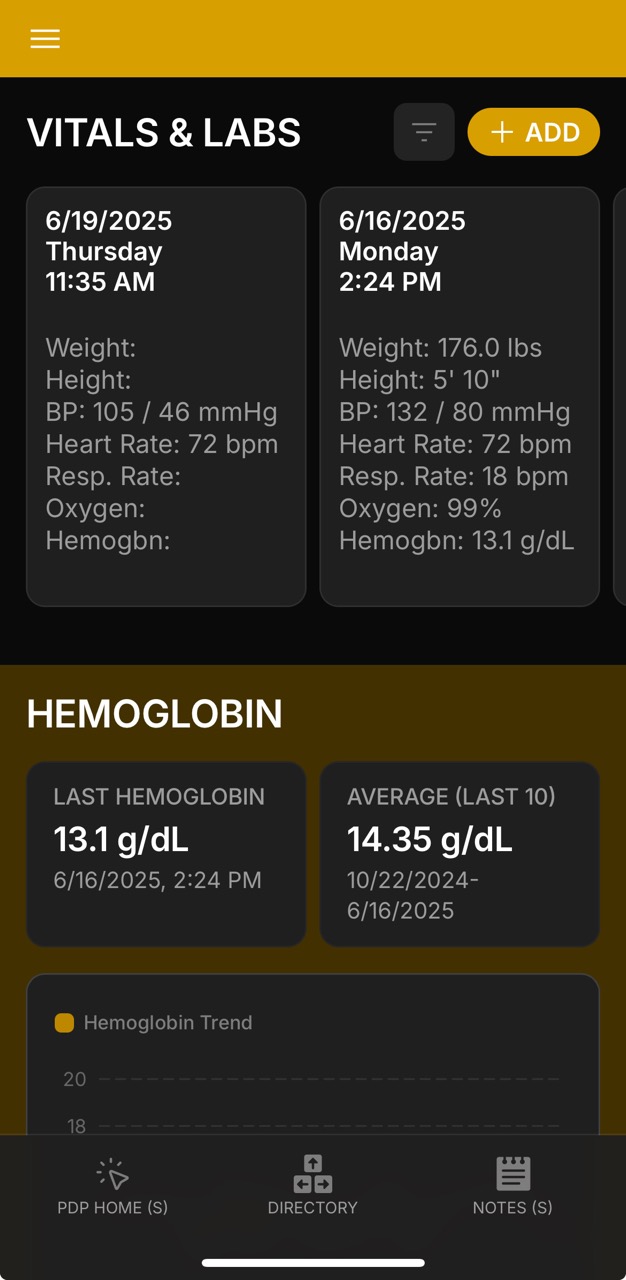
Vitals & Labs provide the most recent readings for quick reference, letting you spot changes in weight, blood pressure, or oxygen levels without digging into full reports.
Medications highlight active prescriptions with dosage and instructions, ensuring important details remain visible and accessible.
Notes offer a running log of updates, keeping provider comments, medication adjustments, and personal observations in one place.
Together, these cards create a living dashboard — always updated, always organized — so you can review what matters most in seconds.
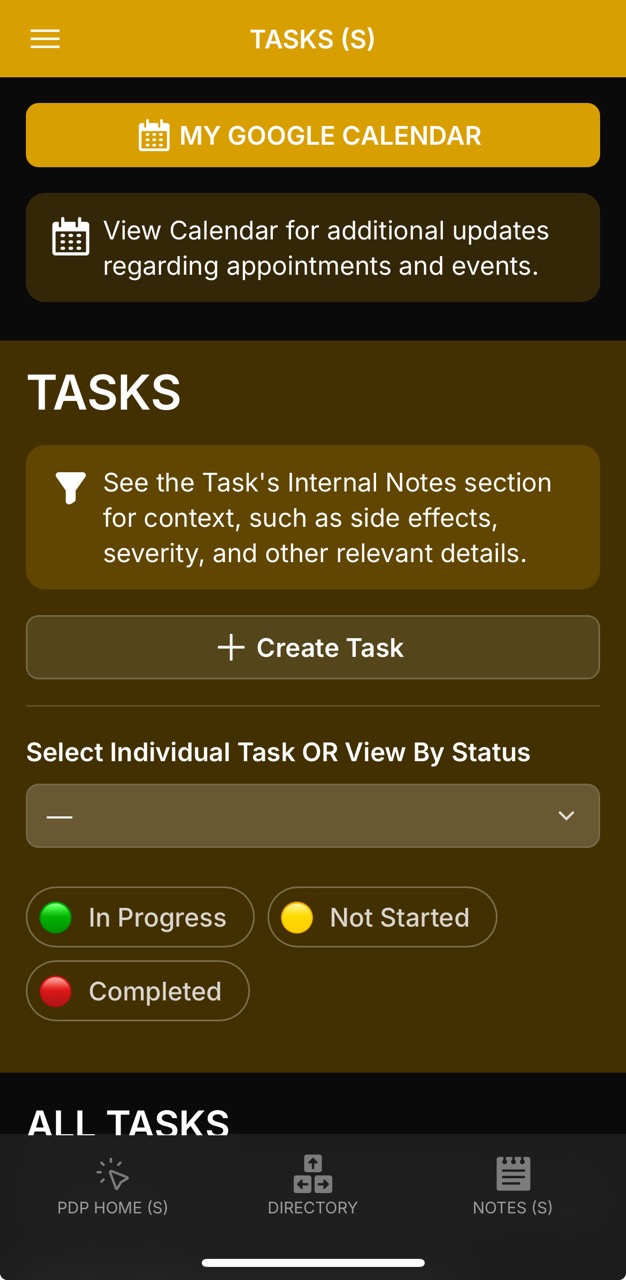
Tasks act as structured reminders and workflow trackers — designed for appointments, refills, labs, or broader activities like nutrition tracking and educational reviews. Unlike Notes, which can be contributed by more people, Tasks are controlled: only designated users can create or edit them, ensuring clarity and accountability.
📅 Appointments & Follow-Ups: Track clinical visits, therapy sessions, and surgical evaluations with due dates, task owners, and status (Not Started, In Progress, Completed).
🔗 Cross-Linked Context: Link each task to Providers, Symptoms, Medications, Conditions, Files/Attachments, or Notes for complete visibility.
📝 Create Note from Task: Convert a task directly into a dated note — ideal for capturing outcomes after appointments or summarizing internal discussions.
🌱 Beyond Appointments: Tasks aren’t limited to clinical follow-ups. Examples include Nutrition reminders, Exercise assignments, or reviewing a Parkinson’s podcast for education.
✅ Quick Actions: Mark tasks complete with one tap, duplicate recurring workflows, or attach progress notes inside the task itself.
🔒 Controlled Access: Task creation and editing are limited to specific individuals (e.g., Paul, wife), while Notes remain open for broader contributions.
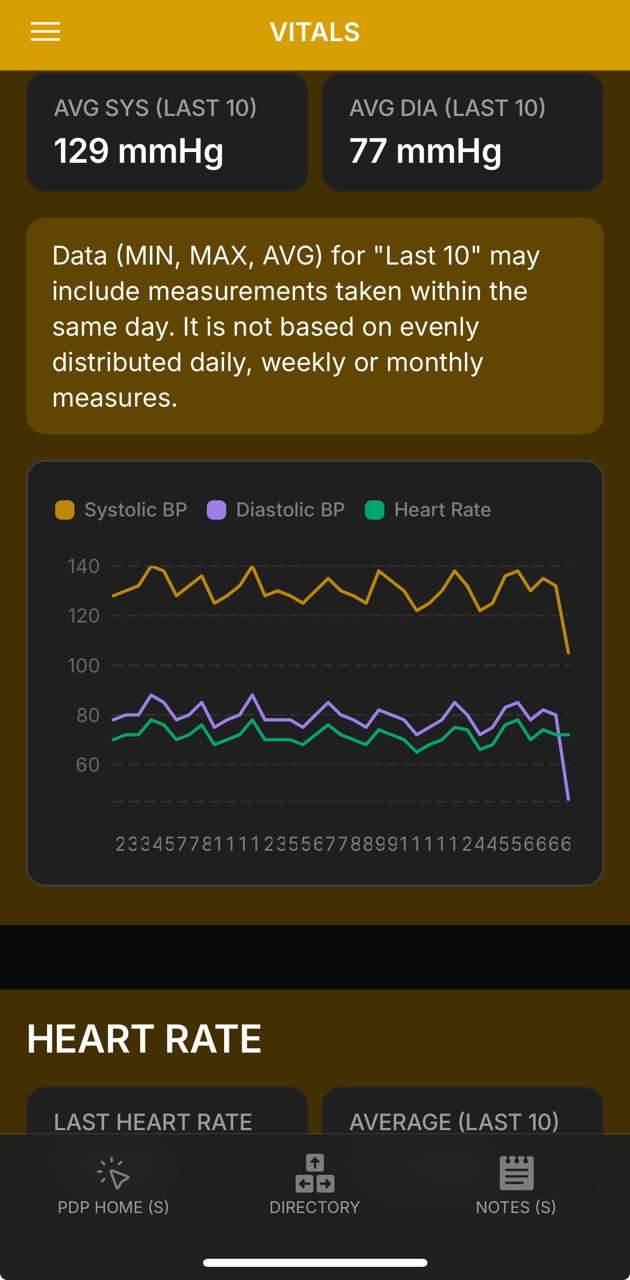
Track blood pressure, heart rate, weight/BMI, and labs like hemoglobin used in PD and DBS workups. Review rolling averages, trends, and context notes to prepare for visits and identify patterns.
📊 Trend Review – check last 10 values, min/max, and averages
⚙️ Device Consistency – note type and arm/side to validate results
🧾 Context Logging – record conditions (fasting, exercise, illness, etc.)
📤 Export & Share – copy datasets for providers before visits
🚩 Flagging – use notes to highlight unusual results for follow-up
We can compare categorical values within each specific DOS value to the other DOS values within the same category, and from there identify outliers.
A normal ranges table is currently unavailable due to personal time constraints; such a table would allow automatic notifications (normal, above, below, etc.),
and help track changes (e.g., comparing the most recent value with the last 10 values) or across past week/month intervals to better distinguish fluctuations from meaningful change.
For example, the normal benchmarks for adults are generally well established across measures such as weight (healthy BMI 18.5–24.9 ⚖️),
blood pressure (~120/80 mmHg 🩺),
hemoglobin (men: ~13.8–17.2 g/dL; women: ~12.1–15.1 g/dL 🩸),
and resting heart rate (60–100 bpm ❤️).
In contrast, those with Parkinson’s disease (PD) often present with greater variability — for example, orthostatic hypotension occurs in roughly
30–50% of patients (defined as a ≥20 mmHg systolic or ≥10 mmHg diastolic drop within 3 minutes of standing),
and heart rate responses may be blunted due to autonomic dysfunction.
By comparison, in Diabetes, fluctuations are most often tied to glucose control, with diagnostic thresholds set at
fasting glucose ≥126 mg/dL or HbA1c ≥6.5%,
which drive secondary impacts on weight and cardiovascular vitals.
In many cancers, anemia is common (hemoglobin <13.0 g/dL in men, <12.0 g/dL in women 🩸),
and clinically significant weight loss is defined as >5% of body weight over six months ⚖️.
The variations observed in PD thus reflect a primarily autonomic and neurogenic origin of change, whereas Diabetes and Cancer exhibit more metabolic or disease-driven thresholds.
These distinctions highlight the importance of contextualizing vitals not only against general population norms but also against condition-specific expectations.
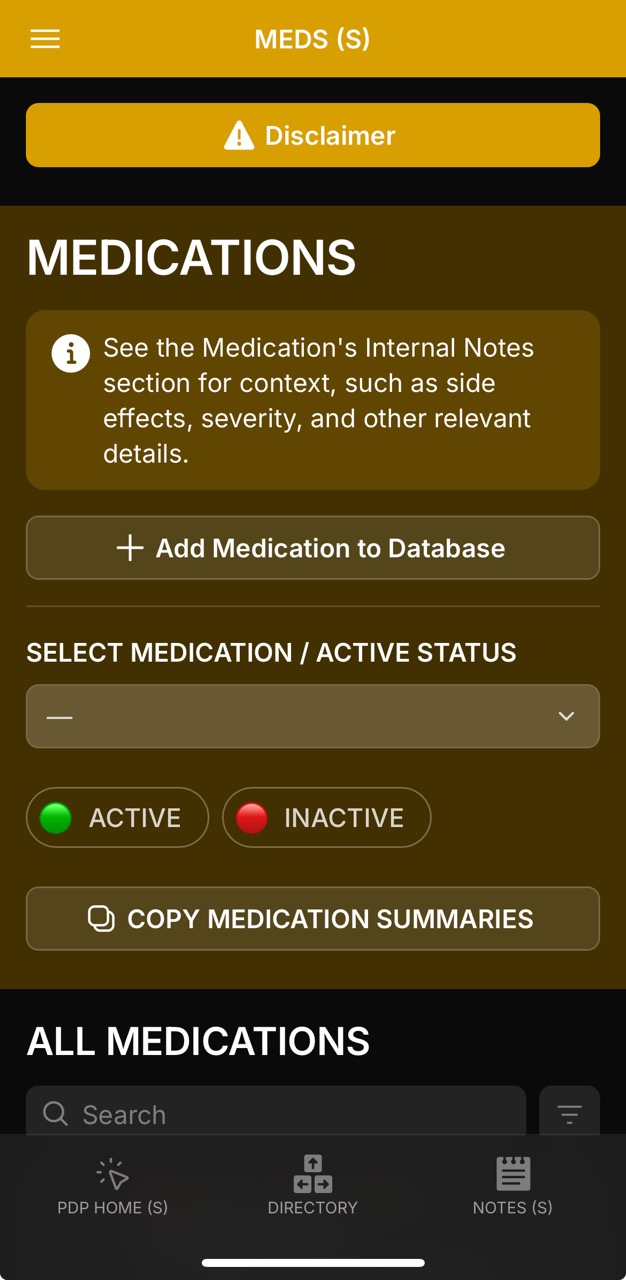
Meds PageConfirmation of Summaries Copied to ClipboardCopied Summaries can be used in a New Note Medications Detail Page (Crexont)Medications Detail Page (Crexont Specs)Medications Detail Page (Crexont, Relevant Files, Last Prescriber)Medications Detail Page (Colace)Medications Detail Page (Colace Specs)Medications Detail Page (Colace, Last Prescriber)
A fast, filterable view of active and historical meds with dose/timing, adherence notes,
and provider/change history—designed for quick copying and sharing.
Select & Filter: Use the multi-select dropdown and the ACTIVE /
INACTIVE chips to focus the list.
Bulk Copy:Copy Medication Summaries grabs summaries for the current selection or the entire
filtered collection below—perfect for pasting into provider notes or messages (as shown in the images in the next NOTES section).
Undo & Restore: Cleared the view? Use Undo Clear – Return Saved Filter to snap back to your last saved state.
Deep Details: Tap a med card to open the ac with About, Internal Notes (with one-tap Copy),
and Prescribing Provider sections.
Context Fields: Titration notes, PRN flags, on/off time windows, side-effect history, and change log fields are all inline.
Loading video...
Tutorial: “2025-07-19 – Glide Tutorial: Copy & Paste Med List”.
Shows selecting meds, toggling Active/Inactive, bulk copying summaries, and using Undo Clear – Return Saved Filter.
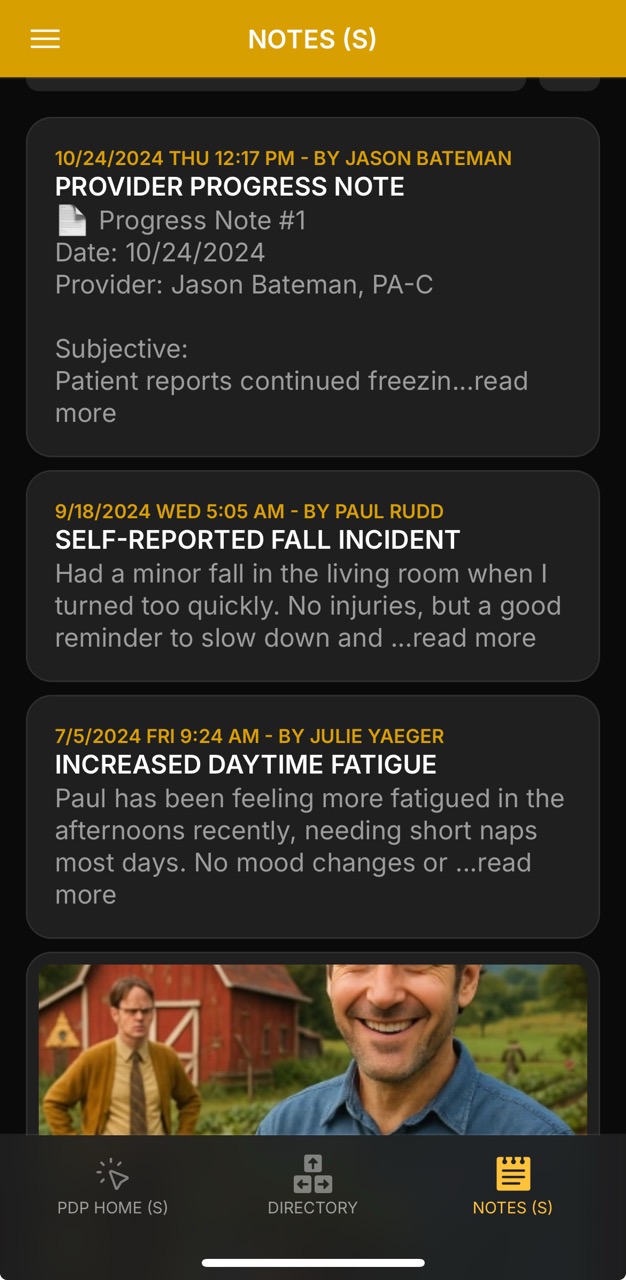
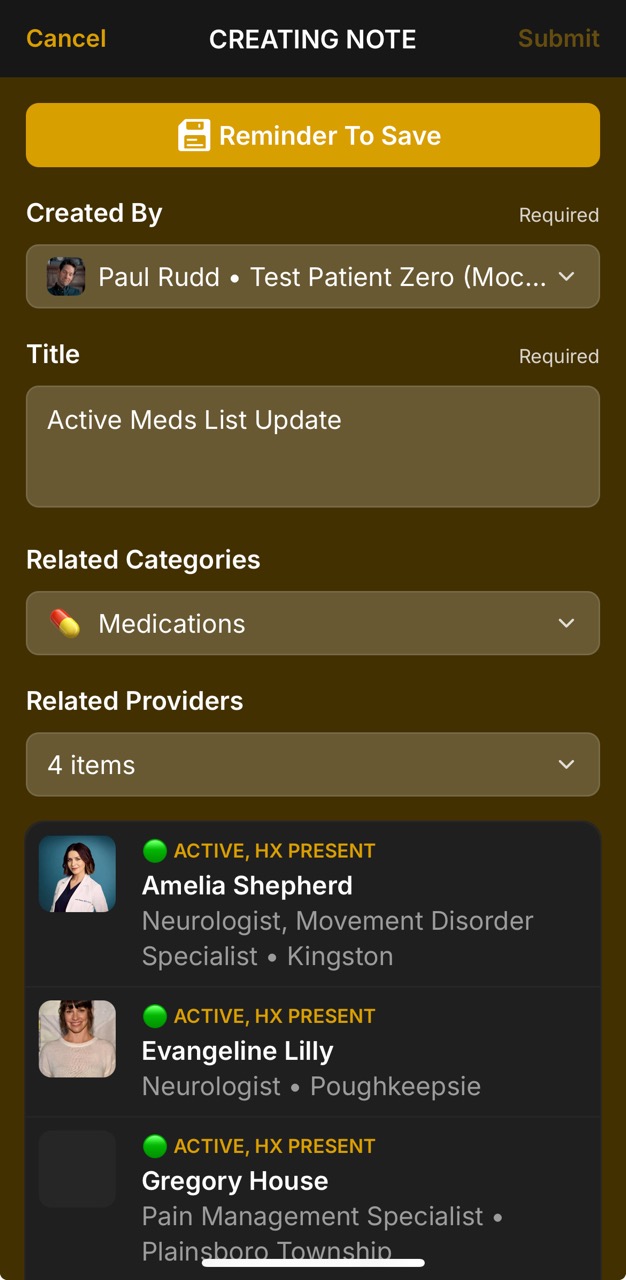
Notes PageNotes Detail Page (Self-Reported Fall Incident)Notes Detail Page (Balance Training)Notes Detail Page (Balance Training, Image Expanded)Notes Detail Page (Walk In The Park)Notes Detail Page (Walk In The Park)Note Based On A True Story? If Yes >> "True Story" 😉Create Note PageCreate Note Page (Select Relevant Tags) Notes Entry FreeformDrive Files Storage NoticeDrive Files Storage Notice v2Note Created ConfirmationNotes Detail Page (Active Meds List Update)Notes Detail Page (Active Meds List Update, Relevant Providers)Notes Detail Page (Active Meds List Update, Relevant Tasks)
Notes serve as the living record of visit prep, outcomes, and post-visit summaries — always date-stamped, linked, and filterable by context.
🏷️ Tagging – create and tag notes by topic (e.g., medications, symptoms, tasks, provider follow-ups)
📎 Attachments – attach and preview PDFs, images, or video for clinical and situational context
📌 Pinning – copy or pin key notes forward as prep for the next provider visit
🔗 Cross-Linking – connect notes with relevant providers, tasks, and files for a complete timeline
💊 Medication Snapshots – save full medication lists () with provider attribution and copy them to clipboard
The notes system supports both patient-entered observations (e.g., self-reported falls, fatigue logs) and provider-authored progress notes.
Each entry can be searched, filtered, and linked back to related categories, making it easy to track trends and revisit context during future appointments.
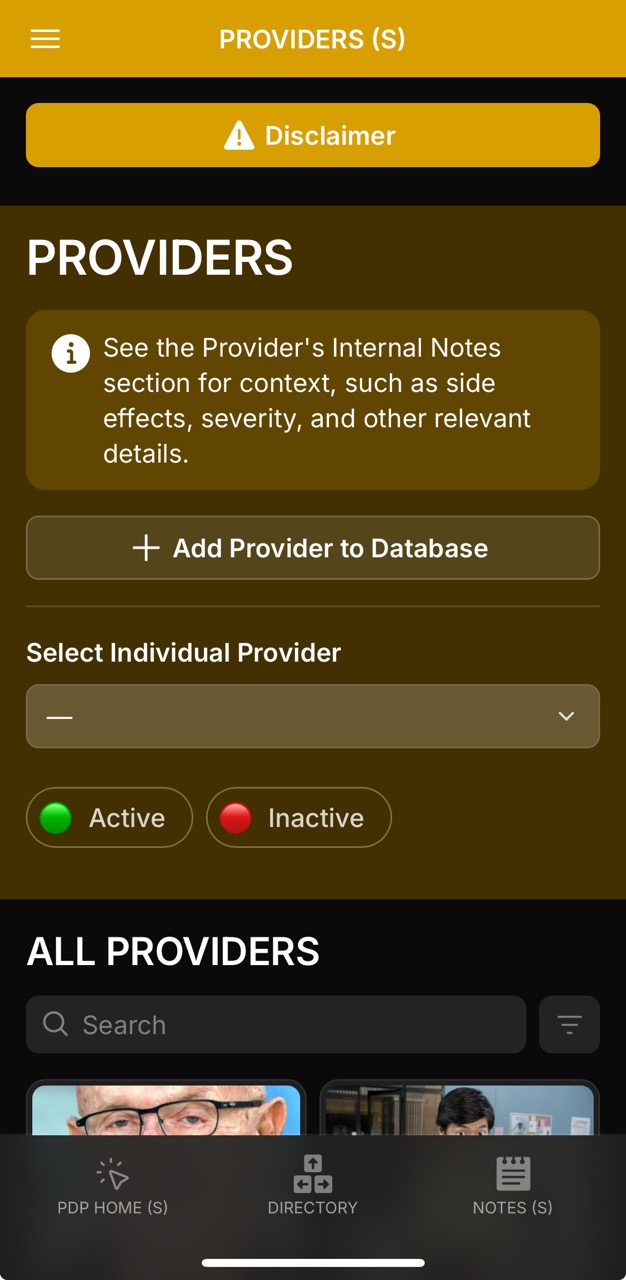
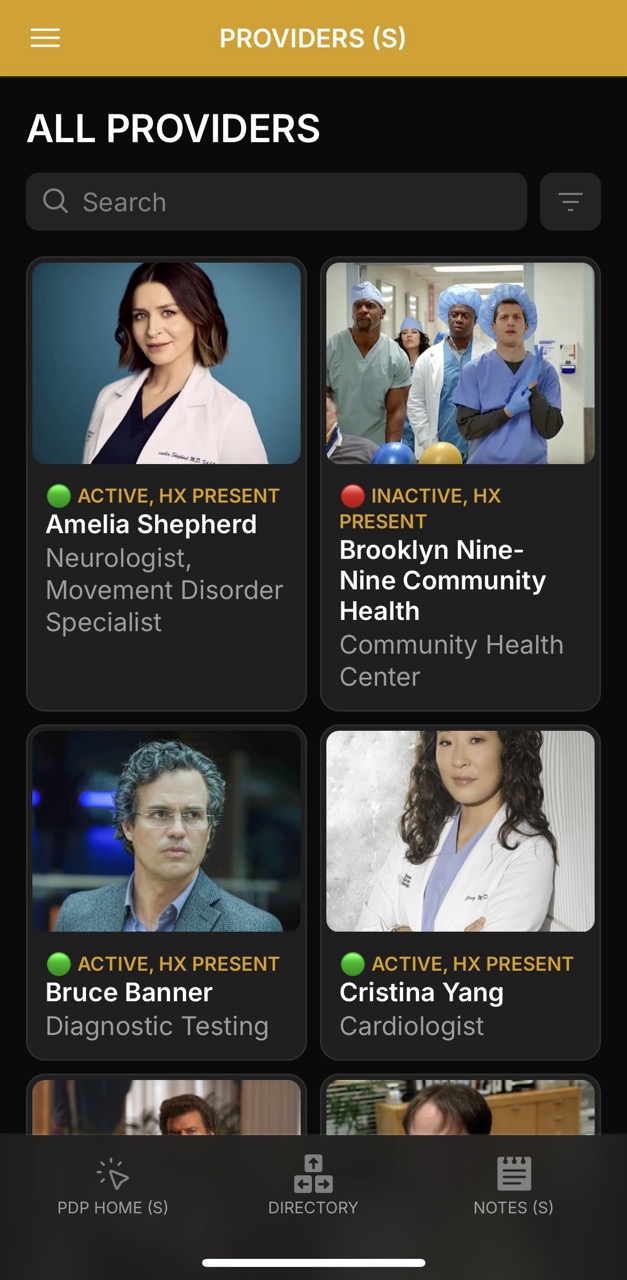
📞 Direct Contact – phone, website, referral sources all in one place
📋 Clipboard Access – copy provider notes or account info for quick sharing
🔗 Cross-Linking – providers can be referenced from Notes, Tasks, Medications, and Files/Attachments for filtering and context
This design ensures providers aren’t siloed: linking them across notes, tasks, and files helps build a connected timeline of care.
✅ Benefit: users can instantly trace which provider is tied to a symptom entry, medication change, or uploaded lab result, streamlining communication and follow-up.
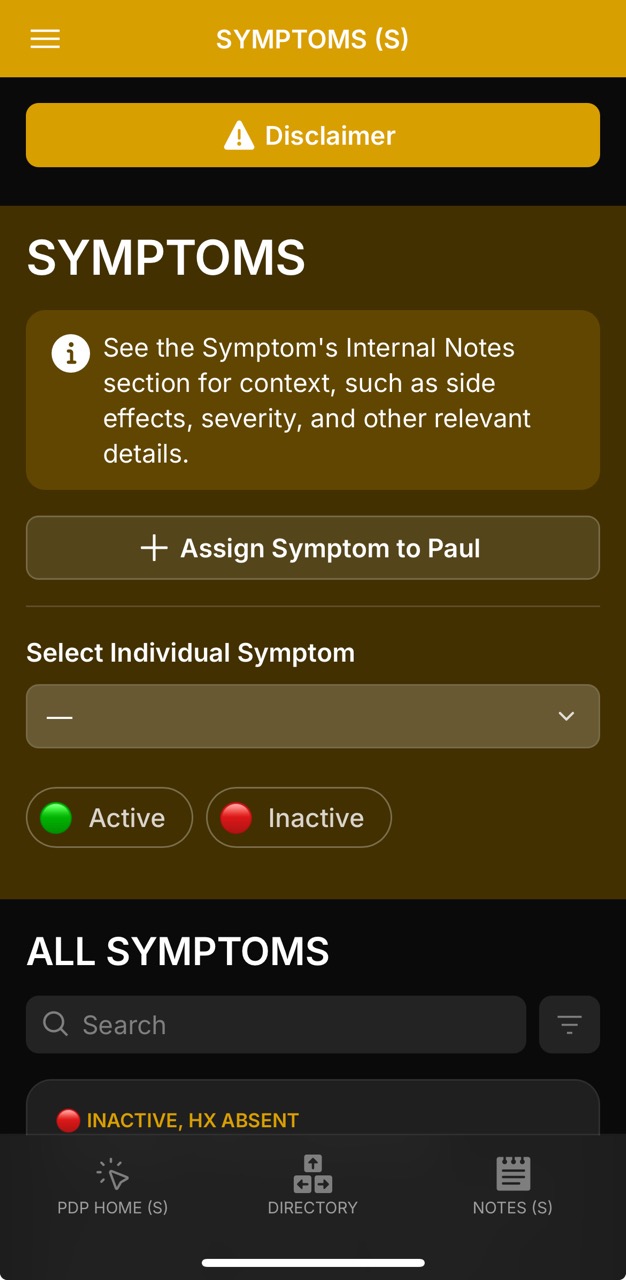
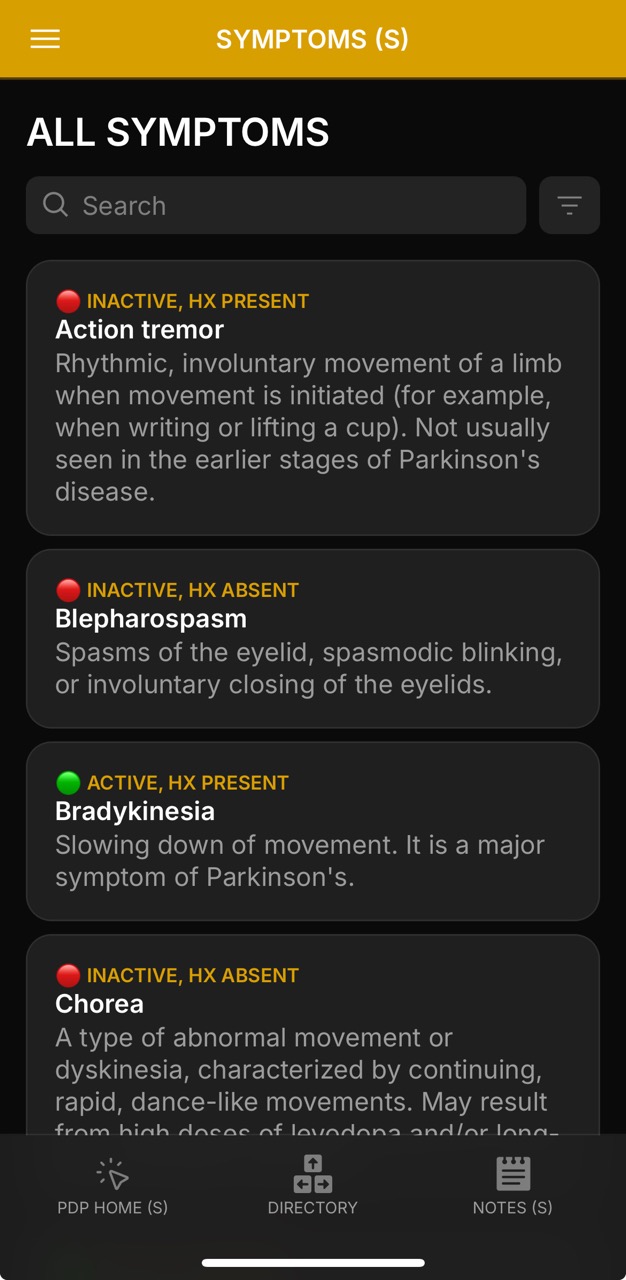
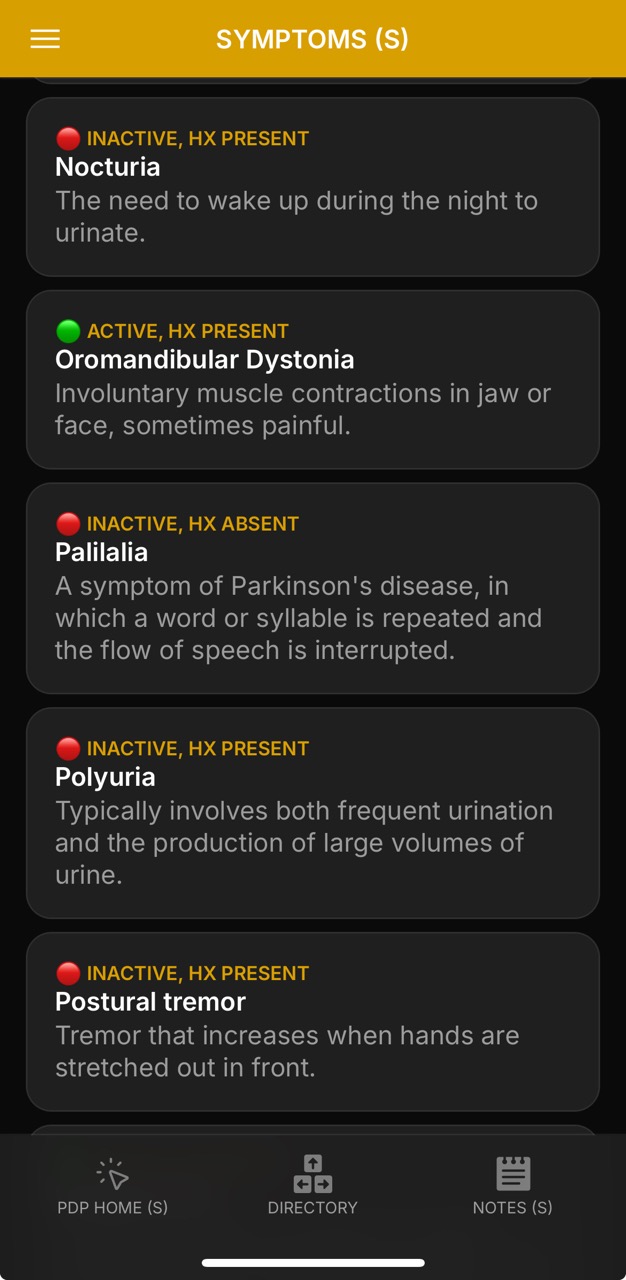
The Symptoms tab provides a structured way to log, track, and review both motor and non-motor symptoms of Parkinson’s. Each symptom entry is categorized as Active or Inactive, with history noted as present or absent, making it easier to distinguish ongoing challenges from past issues.
🟢 Status Tracking – mark symptoms as Active or Inactive, with history noted for context.
📝 Internal Notes – capture details such as onset date, expression by patient vs. observed by others, and situational triggers.
📂 Specialist Linkage – symptoms can be tied to relevant specialties or subspecialties (e.g., psychiatry, movement disorders) to assist the reader in following up with the recommended or relevant provider.
🔎 Glossary Assignment – select from a glossary of predefined symptoms or add new ones as needed, ensuring consistency across entries.
📊 Contextual Review – view all symptoms together, filter by status, and analyze patterns that may inform care planning.
📌 Integration – symptoms are available to reference through Tasks and Notes sections, providing context for daily actions, reminders, or care documentation and ensuring alignment with the patient’s overall health record.
This design allows for quick identification of symptom patterns (e.g., fatigue + low mood + freezing of gait) and ensures that contextual notes are not lost, helping providers and caregivers see not only what symptoms are present but also how and when they manifest.
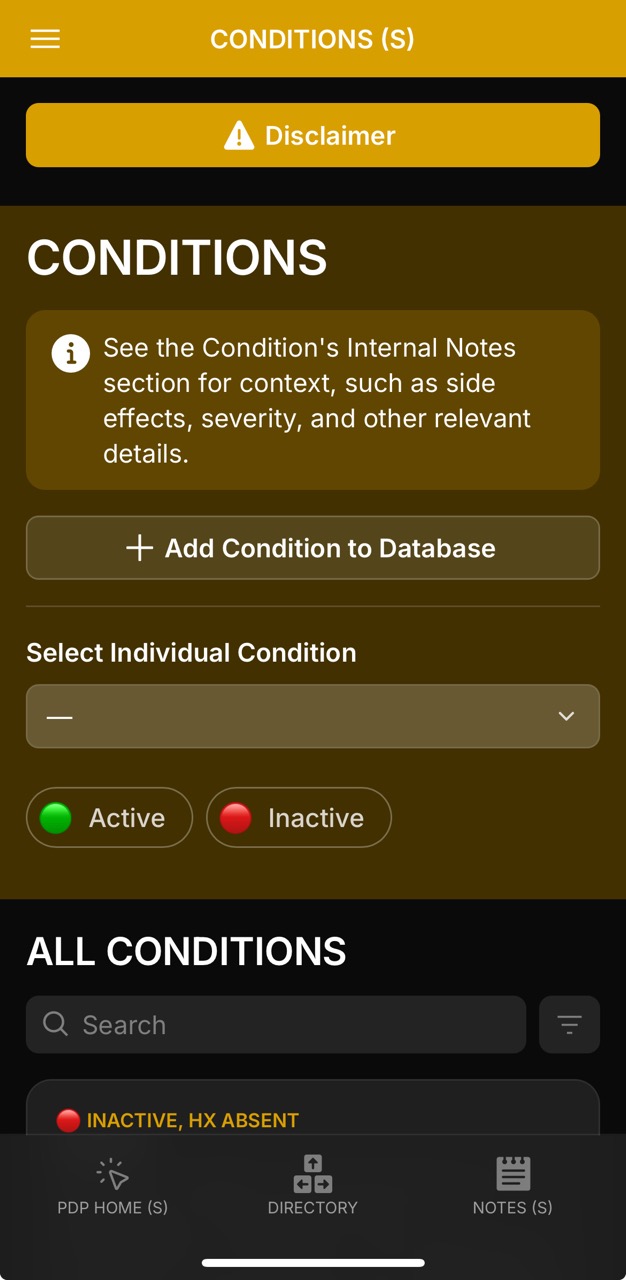
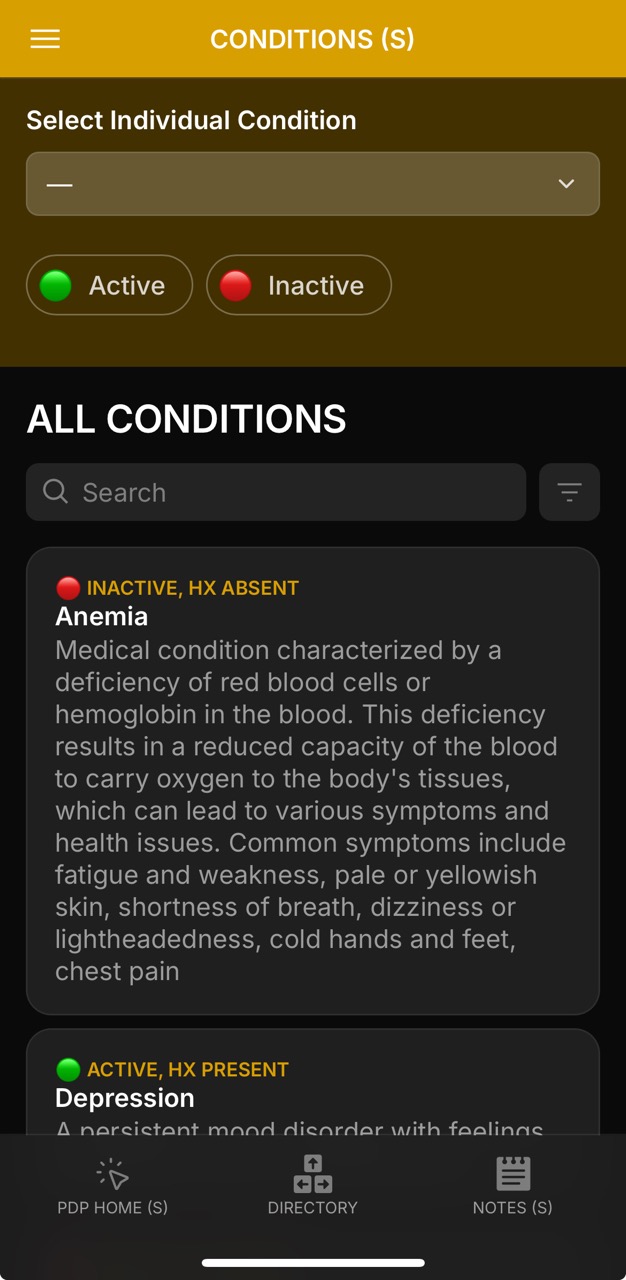
Active and historical conditions are always accessible, filterable by Active and Inactive status.
Each entry links to expanded details including specialty, sub-specialty, and the primary specialist most relevant
to ongoing care.
🔍 Filter Tools – quickly separate current issues from resolved or historical ones
📎 Clipboard Copy – one-tap copying of condition notes into other workflows
This section helps track co-morbidities (e.g. anemia, depression),
side-effect related issues (e.g. drug-induced parkinsonism), and chronic disease management —
always timestamped, reviewed, and linked to specialists for follow-up.
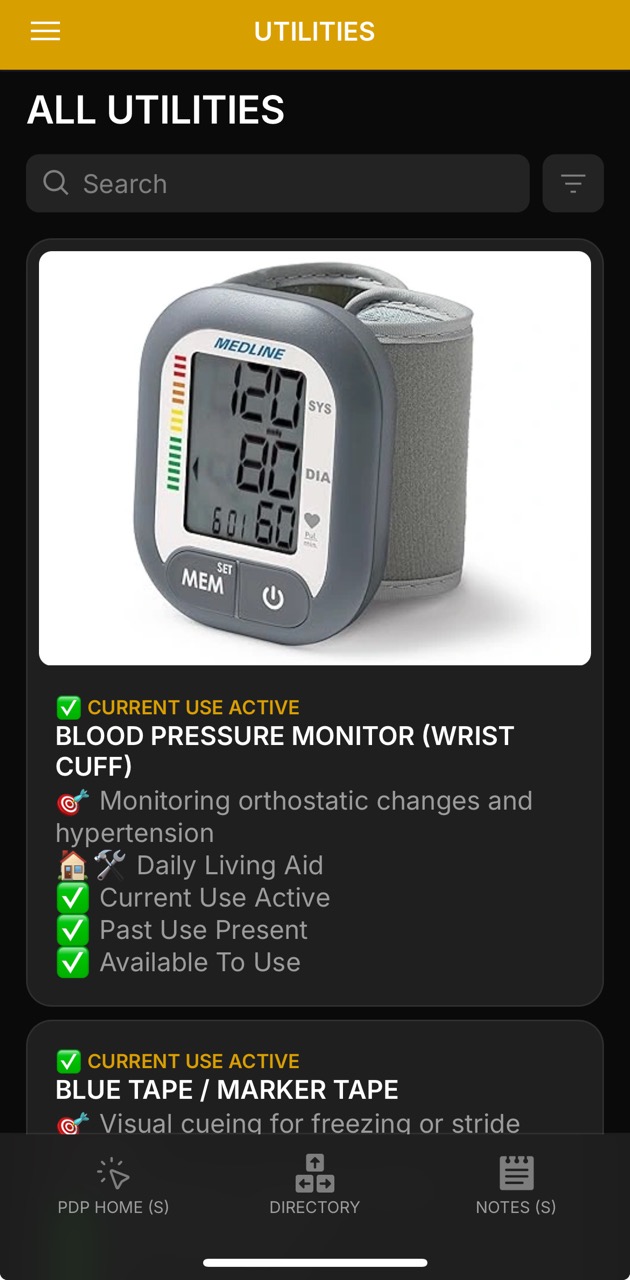
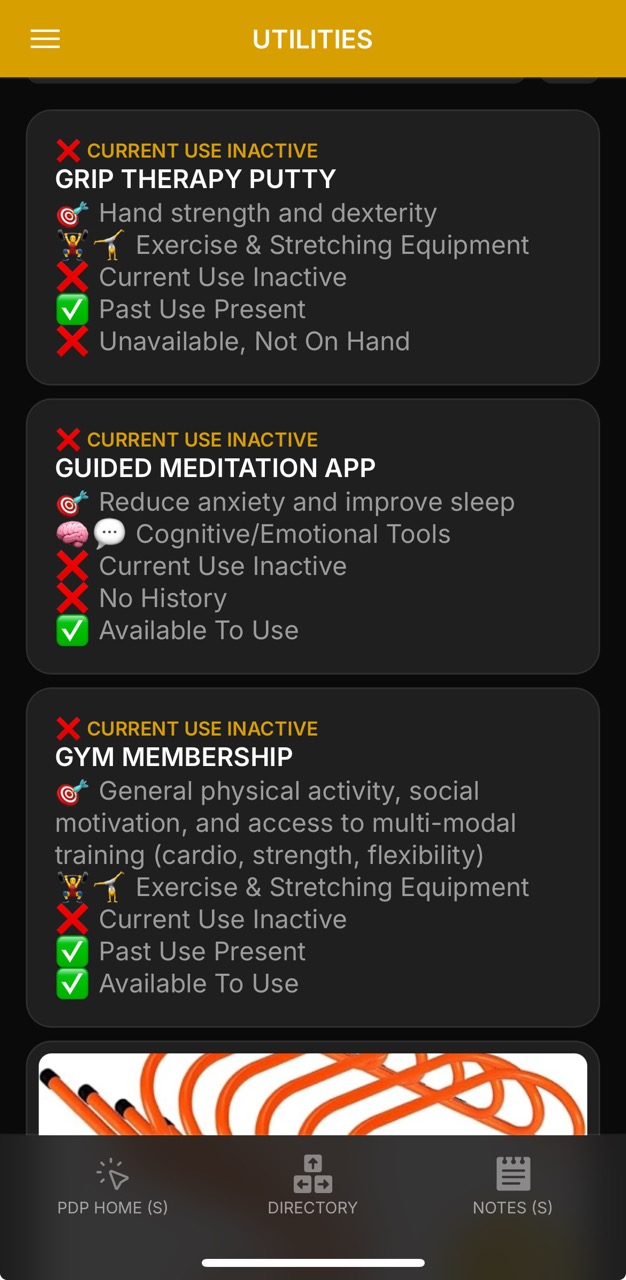
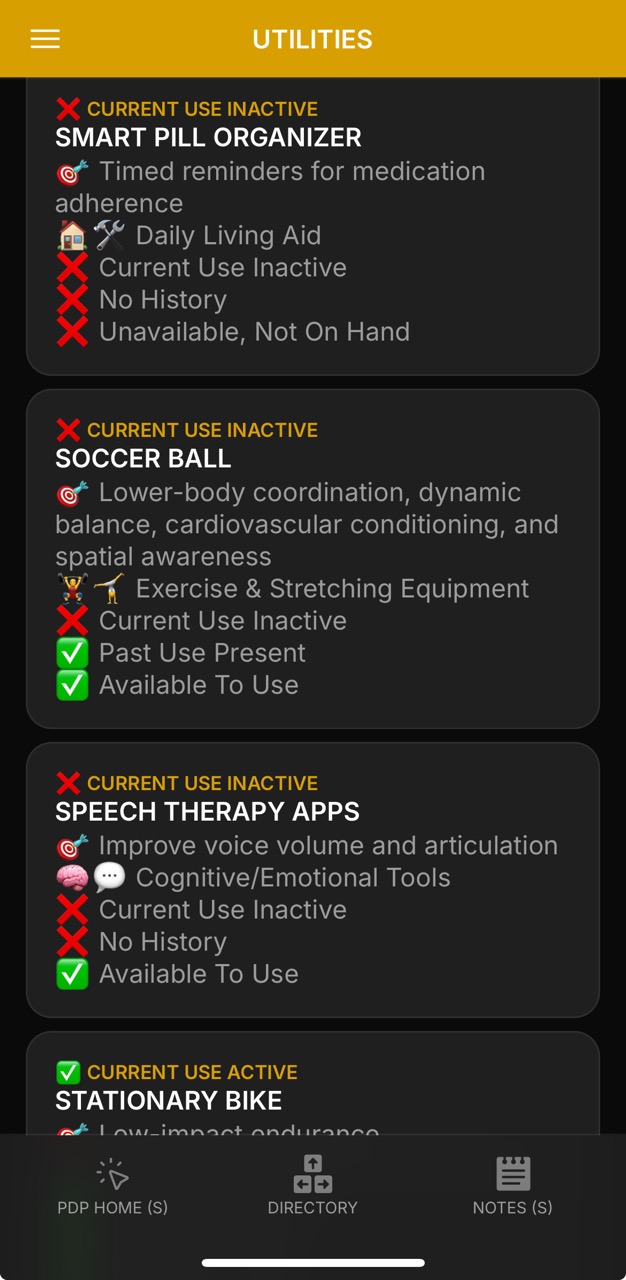
Utilities provide reference and tracking tools for supportive aids, safety devices, and daily living equipment.
🔄 Status Tracking – Active vs. History use (e.g., “Inactive / Not Available” or “Active / Present”), plus Availability states (e.g., “On Hand / Available for use”).
📝 Internal Notes – capture observations, recommendations, and provider/caregiver rationale.
📷 Images & Links – attach reference photos or direct vendor links (e.g., Amazon, DME supplier).
👩⚕️ Recommended By – record which provider, therapist, or caregiver suggested the tool.
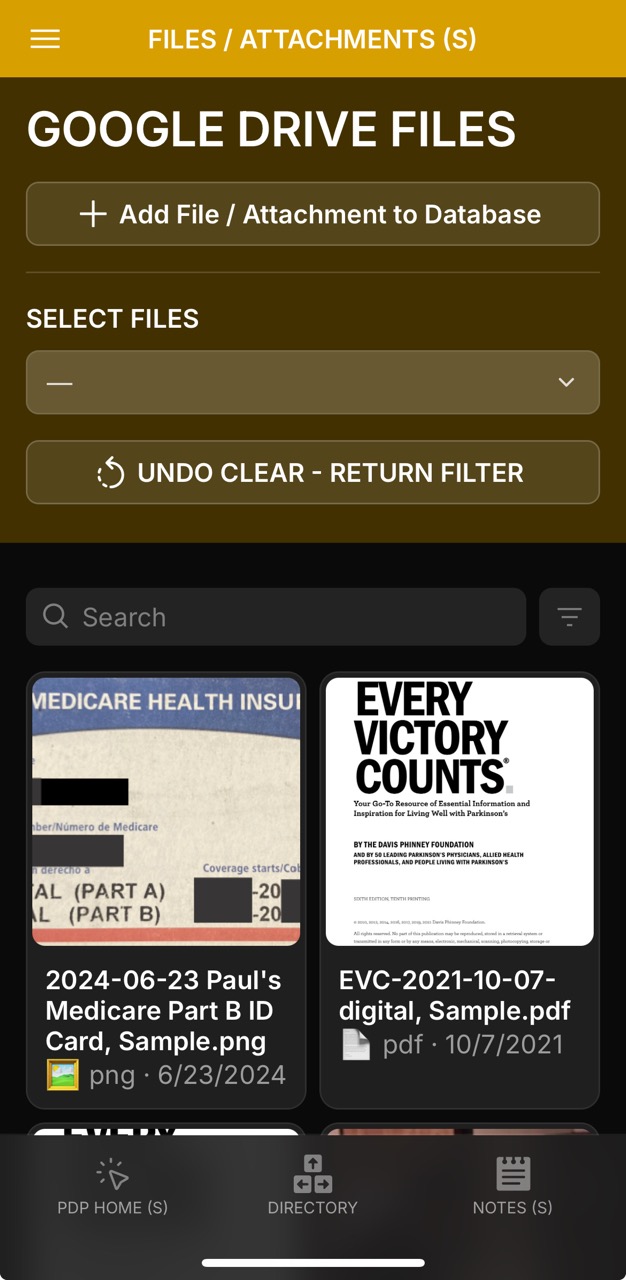
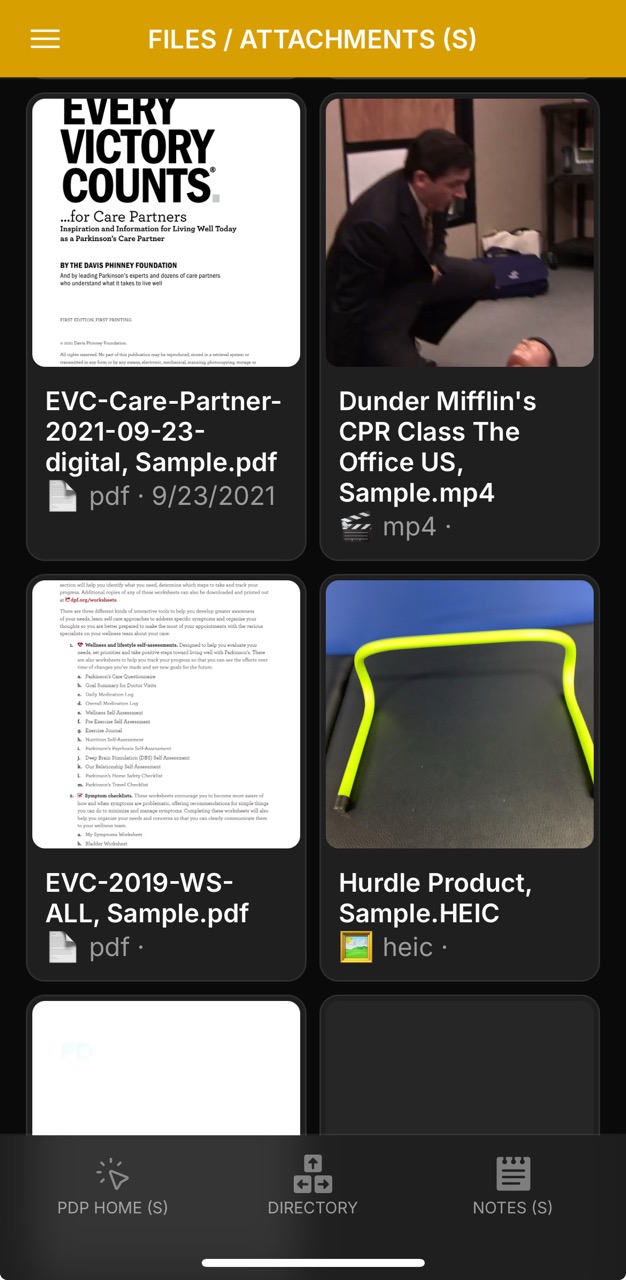
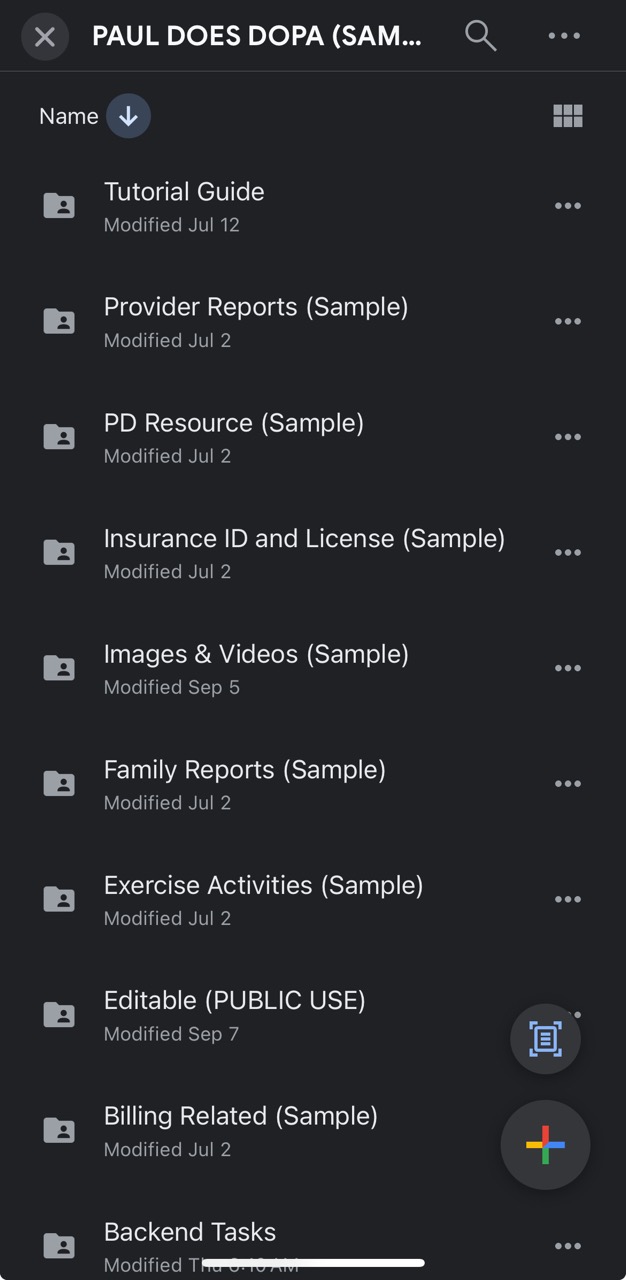
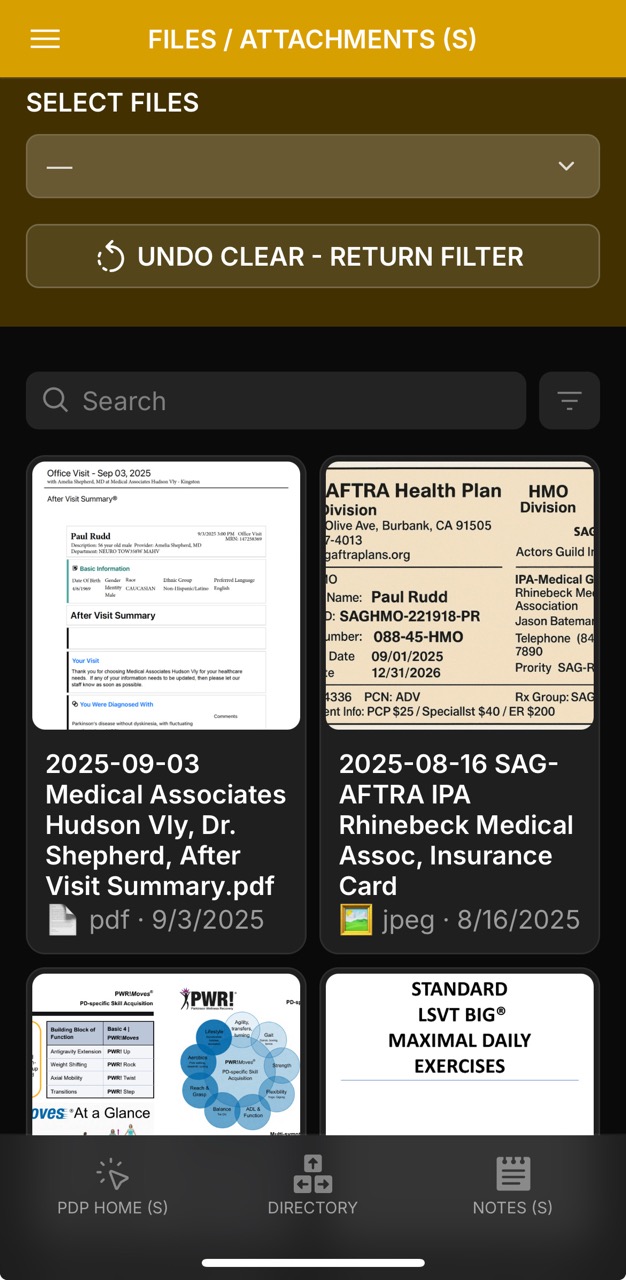
Centralized repository for items from provider systems and personal uploads — PDFs, images, scans, and videos.
Files are fully searchable, filterable, and link back to Notes, Symptoms, Medications, and Labs for quick context during reviews or appointments.
📄 File Details: Each entry includes type, date, source, and summary, with cross-links to related notes or categories
🔗 Sharing: Drive/Share link per document for one-tap distribution to care teams
📂 Folder Navigation: Folder shortcuts group reports (e.g., Provider Reports, Imaging, Insurance) for bulk browsing
🗂️ Filter & Selection: Apply filters, clear/reset them, or undo clear to restore previous views
👀 Preview & Actions: Tap to preview PDFs or images inside the app; use clipboard and copy actions to extract file names into workflows
📝 File Add/Edit: Admins can add new files by entering name, link, type, and date; “Reminder to Save” prevents accidental exits
🛡️ Static Sample vs. Live: Current display shows a sample set; in production, access controls would govern who can add, edit, or share attachments
This section helps consolidate everything scattered across clinic portals, email attachments, and paper files — making reports like DBS evaluations, lab test results, and exercise protocols accessible in one place.
Patients and advocates can review documents on the go, while backend users track when items were added, last reviewed, or updated.
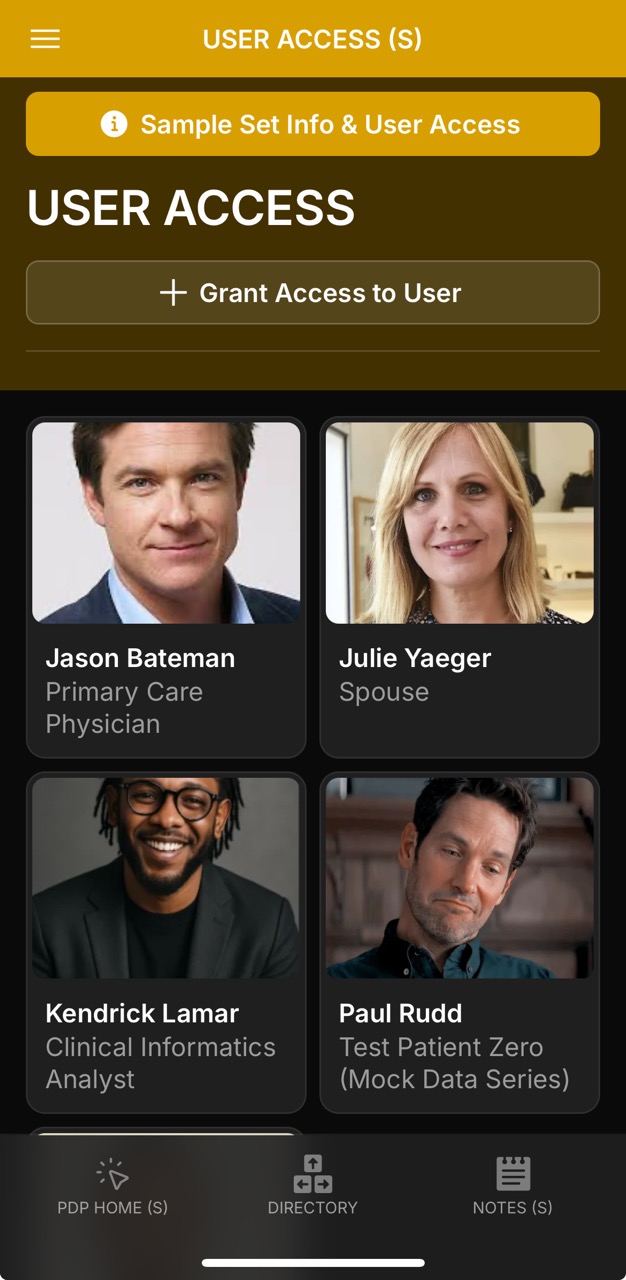
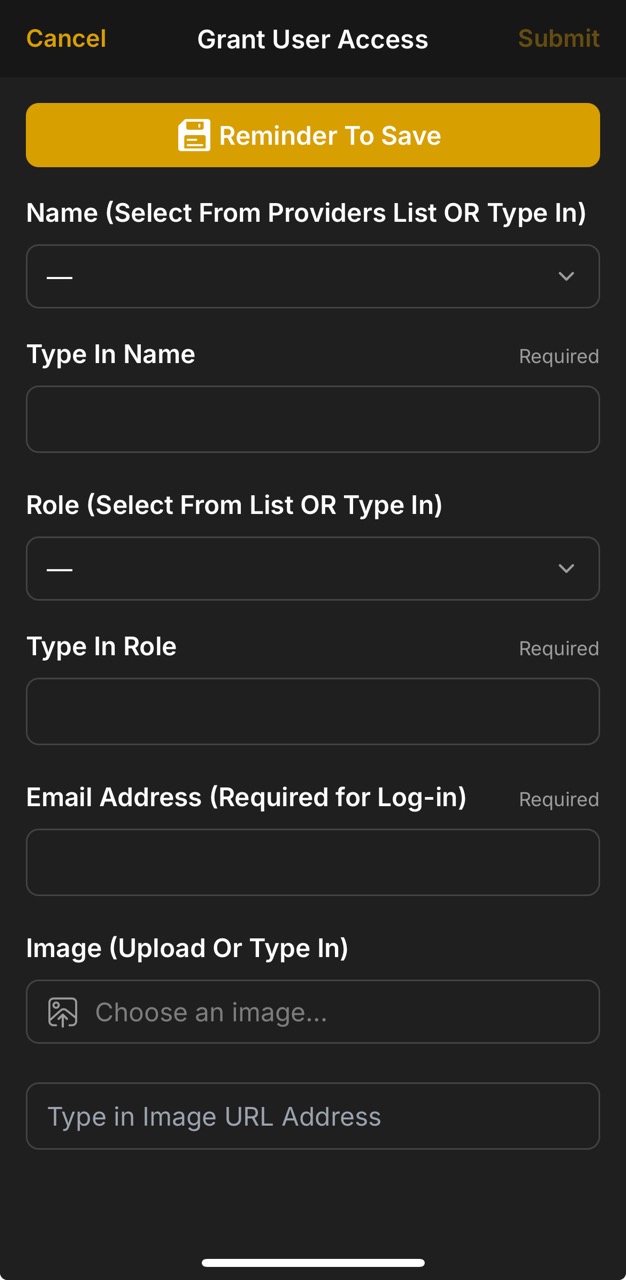
User Access Page (About / Info Page)User Access Detail PageUser Access Detail Page (Steve Carell)Grant User Access PageGrant User Access Page (Grant Provider Option)Grant User Access Page (Provider Lily Aldrin Selected)
The User Access system provides a flexible way to grant, limit, or monitor permissions for individuals in the record.
Access can be given to providers, caregivers, family members, or health advocates — each tagged with their role and linked profile.
This ensures that the right people can view or contribute information while maintaining security and context.
👩⚕️ Provider Access: invite clinicians with read-only or limited-edit roles for specific fields such as meds, symptoms, or notes.
🧑🤝🧑 Caregiver / Family Roles: assign spouses, children, or advocates who can monitor updates, log events, and support daily care.
📋 Role-Based Profiles: each user card displays their photo, role, and specialty (e.g., Primary Care Physician, Health Advocate, Clinical Informatics Analyst).
📝 Audit & Tracking: changes can be noted in internal comments or Notes; PHI should remain in official clinic portals when required.
🔐 Sandbox vs. Real Mode: sample/demo sets are public for exploration, but a real app would restrict access to only approved accounts.
📂 Integration: User Access links across Notes, Tasks, and Providers — making it clear who contributed, who reviewed, and who follows up.
📧 Authentication: email address is required for login and edit rights; provider records can be updated with new emails or image IDs when necessary.
This design balances accessibility and privacy — letting test users like Steve Carell (Health Advocate) or Kendrick Lamar (Clinical Informatics Analyst) demonstrate collaborative roles, while giving patients and providers confidence that responsibilities are clearly defined.
In production, these permissions would mirror HIPAA-level controls: private, role-scoped, and fully auditable.
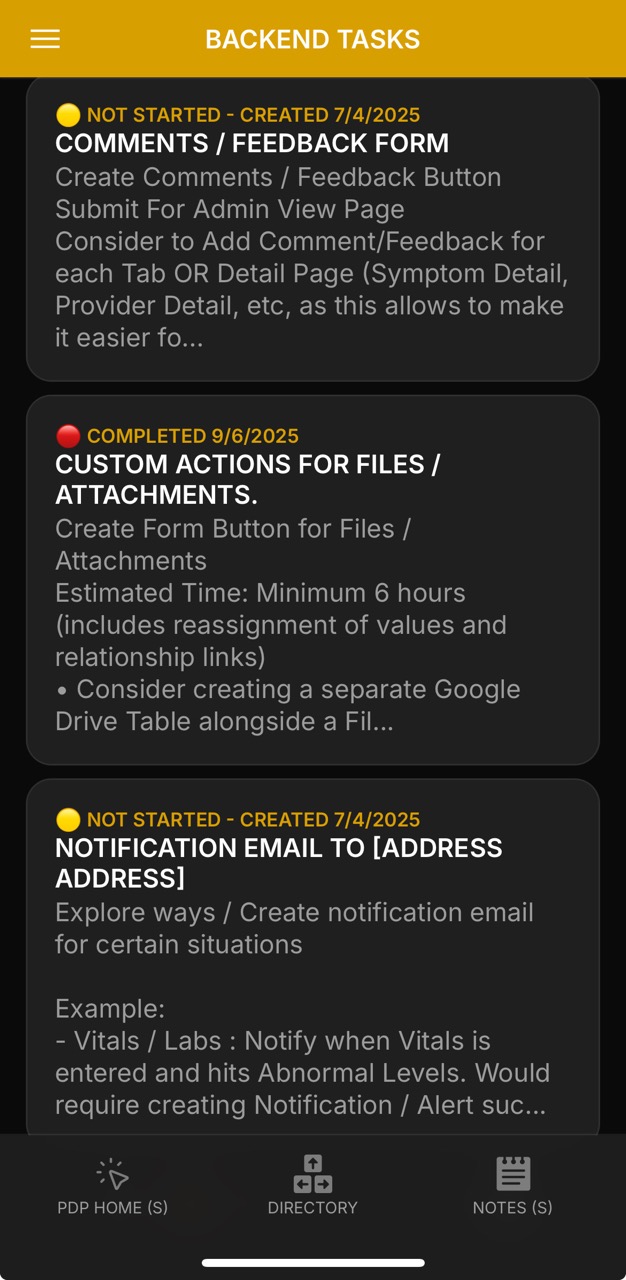
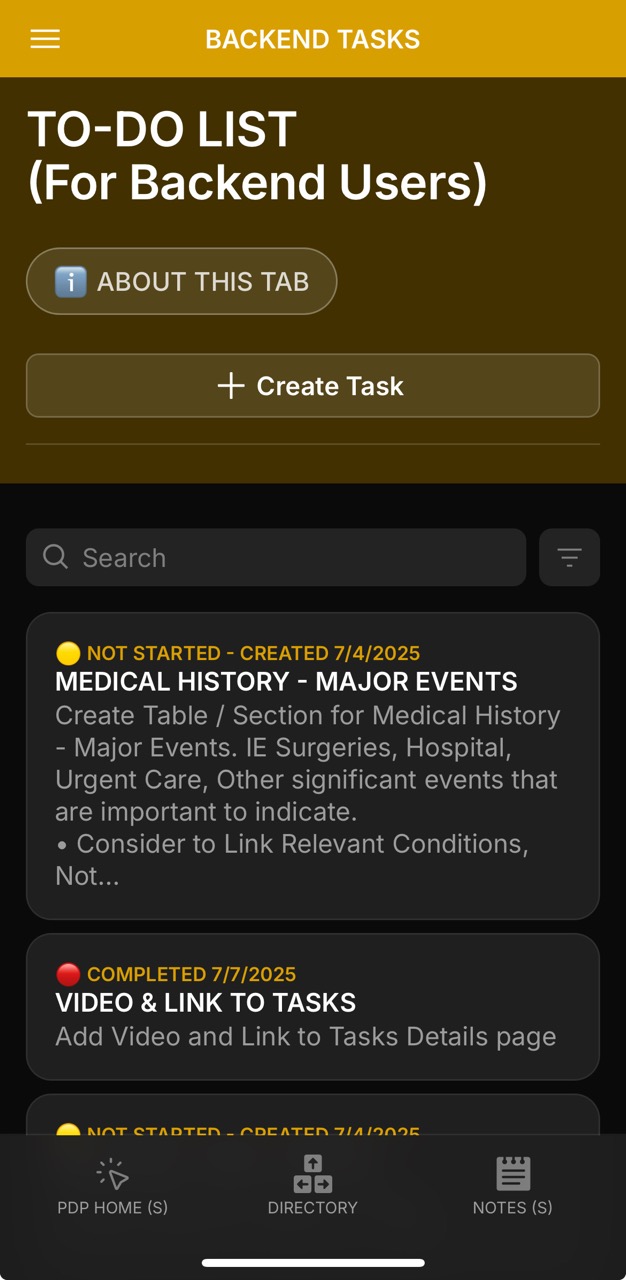
Backend tools serve as the control center for data hygiene, feature requests, and design iteration.
Tasks are logged, tracked, and reviewed with full metadata — ensuring admins and informatics users
can keep the system clean, fast, and evolving.
📌 Task Tracking: Each entry shows status (Not Started / Completed), created-on date, completion date, and last review timestamp
🗂 Scoped Context: Relevant tabs (e.g., Conditions, Notes, Files) can be tagged to tie fixes or ideas directly to affected areas
📝 Notes + Clipboard: Detailed task notes can be copied with one tap for sharing across platforms
⚙️ Admin Utilities: re-linking & de-dup checks, orphaned file review, bulk status flips, archive/restore of old items, and CSV round-trip helpers for larger edits
📷 Visual Logging: Screenshots, design mocks, or contextual images can be attached to clarify the update or issue
🔒 Controlled Access: Only signed-in backend users (Admins, CIAs, UX designers) can create or edit tasks — front-end users remain read-only
How it works:
- Backend users can hit Create Task, assign it to a relevant module (e.g., Medications, Demographics),
attach notes, and set status.
- Completed tasks display a full audit trail, with copy-to-clipboard for downstream documentation.
- The About This Tab panel explains scope: it’s a sandbox for logging fixes, fun touches, or workflow tweaks —
keeping requests centralized instead of scattered across email or iCloud notes.
Benefits & Limitations
Front-End (App) — Benefits
Purpose-built companion: assists recall when symptoms, diagnoses, or meds don’t surface consistently across portals.
Why it matters: You can answer “what changed when?” without digging through PDFs and emails.
Provider-friendly sharing: one Glide link; optional limited edit access for clinicians.
Why it matters: Faster collaboration than passing spreadsheets; lighter-weight than onboarding to a new EHR.
Attachments everywhere: PDFs/images/video from provider systems are centralized and cross-linked.
Why it matters: Context stays attached to the exact note/med/symptom/lab.
Counts & lookups: see how often “X” appeared and jump straight to those dates.
Why it matters: Replaces manual tallying; similar to lightweight query in Airtable/Notion.
Low friction: works with Google Drive/CSV; printable or shareable visit summaries.
Why it matters: No IT ticket needed to start; unlike Epic/MyChart integrations.
Front-End (App) — Limitations
No direct EHR feed: data is patient-entered unless a provider participates.
Why it matters: Official lab results/messages still live in portals like MyChart.
Light analytics: charts are intentionally simple.
Why it matters: For deep trends, export to Excel/R/Tableau or RPubs.
Connectivity: Glide needs internet; offline capture is limited.
Why it matters: Plan for low-signal workflows (quick notes → enter later).
Dense lists on mobile: long tables can feel tight.
Why it matters: Use filters, templates, and summaries to keep it scannable.
Simple conditionals: If-Then-Else is single-branch, not full SQL-style CASE.
Why it matters: Keeps logic readable but complex rules are better handled in Sheets/Apps Script or back-office tools like Airtable/Notion.
Back-End (Admin/Data) — Benefits
Glide Tables + Drive/CSV: low-cost storage, easy backups, quick iteration.
Why it matters: Prototype rapidly without committing to paid stacks.
Optional Notion/Airtable: richer admin views & light automations if needed.
Why it matters: Faster bulk editing than in-app; still exportable.
RowID + external UUIDs: stable linking even when filenames change.
Why it matters: Relations don’t break when a Google Drive name is updated.
SortKey & timestamps: predictable ordering across imports.
Why it matters: CSV round-trips come back with the same list order in Glide.
Extensible into financial data: copays, coinsurance, in-network vs. out-of-network charges,
and Medicare deductibles.
Why it matters: Supports projecting likely costs—something traditional portals rarely expose.
Extensible into clinical analytics: vitals and labs (e.g., hemoglobin, BP, weight, pulse)
can be tracked longitudinally and correlated.
Why it matters: Providers and caregivers can spot trends early—supporting
symptom improvement and reducing risk of decompensation.
Back-End (Admin/Data) — Limitations
Free-tier caps: Glide/Notion/Airtable row & storage limits; heavy media belongs in Drive.
Why it matters: Plan periodic archiving and link-outs for imaging/video.
No live Sheets sync (free): bulk updates via CSV or Apps Script.
Why it matters: Admin effort vs. the convenience of paid tiers.
Not HIPAA/BAA by default: unless on HIPAA-enabled plans, don’t store PHI.
Why it matters: Keep sensitive content in clinic systems; use references/attachments thoughtfully.
No clinical rails: no e-prescribing, billing, FHIR/HL7 like Epic/Cerner.
Why it matters: This complements — not replaces — provider EHRs and portals.
Data Model (Admin)
Core Tables
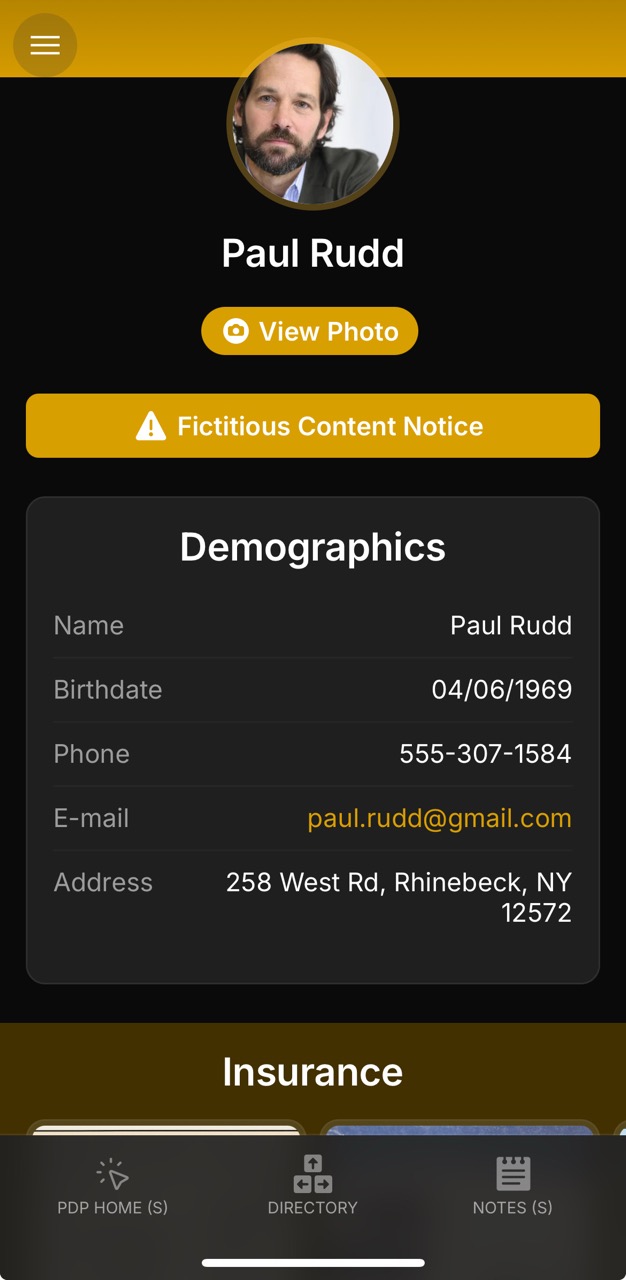
Patients (Demographics): Patient_ID (UUID), age group, onset year, milestones, contacts.
.jpeg)
.jpeg)
.jpeg)
.jpeg)
.jpeg)
.jpeg)
.jpeg)
.jpeg)
.jpeg)
.jpeg)
.jpeg)
.jpeg)
.jpeg)
.jpeg)
.jpeg)
.jpeg)
.jpeg)
.jpeg)
.jpeg)
.jpeg)
.jpeg)
.jpeg)
.jpeg)
.jpeg)
.jpeg)
.jpeg)
.jpeg)
.jpeg)
.jpeg)
.jpeg)
.jpeg)
.jpeg)
.jpeg)
.jpeg)
.jpeg)
.jpeg)
.jpeg)
.jpeg)
.jpeg)
.jpeg)
.jpeg)
.jpeg)
.jpeg)
.jpeg)
.jpeg)
.jpeg)
.jpeg)
.jpeg)
.jpeg)
.jpeg)
.jpeg)
.jpeg)
.jpeg)
.jpeg)
.jpeg)
.jpeg)
.jpeg)
.jpeg)
.jpeg)
.jpeg)
.jpeg)
.jpeg)
.jpeg)
.jpeg)
.jpeg)
.jpeg)
.jpeg)
.jpeg)
.jpeg)
.jpeg)
.jpeg)
.jpeg)
.jpeg)
.jpeg)
.jpeg)
.jpeg)
.jpeg)
.jpeg)
.jpeg)
.jpeg)
.jpeg)
.jpeg)
.jpeg)
.jpeg)
.jpeg)
.jpeg)
.jpeg)
.jpeg)
.jpeg)
.jpeg)
.jpeg)
.jpeg)
.jpeg)
.jpeg)
.jpeg)
.jpeg)
.jpeg)
.jpeg)
.jpeg)
.jpeg)
.jpeg)
.jpeg)
.jpeg)