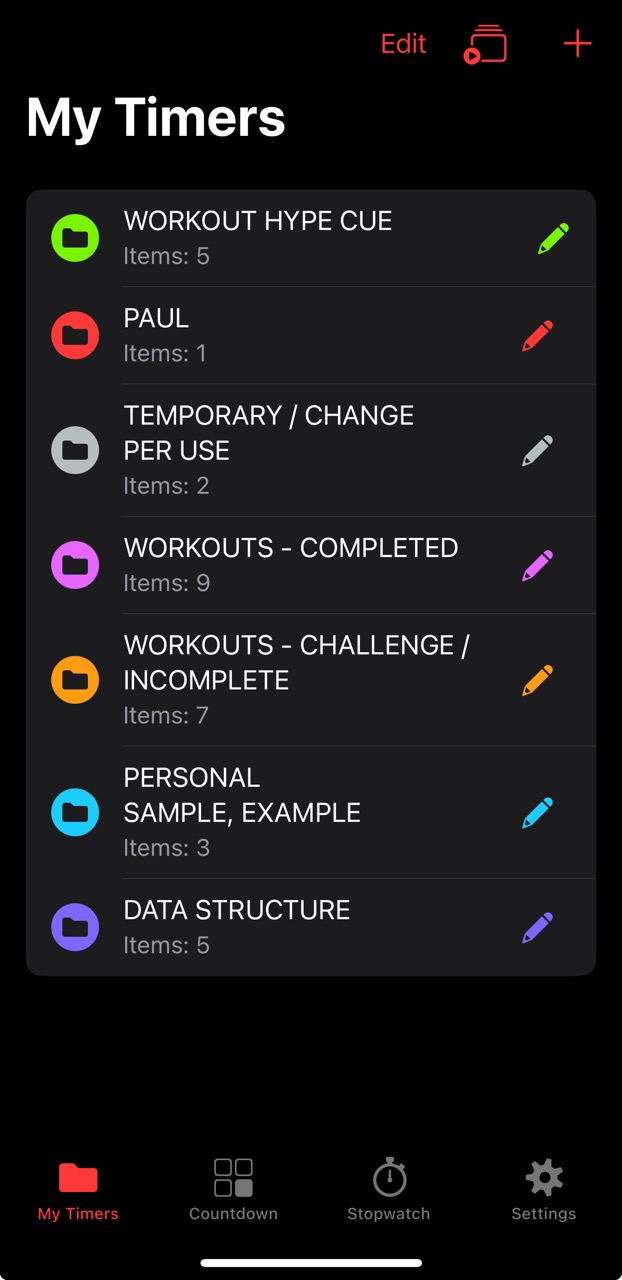
Seconds Pro
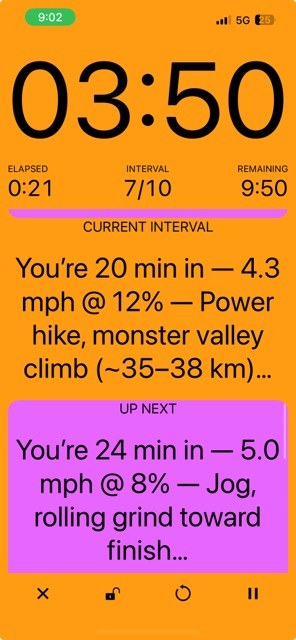
is a customizable interval-timer app that delivers spoken prompts and color-coded segments for structured workouts.
I personalize it for treadmill and gym plans using JSON-based interval templates, with data structures consisting of different named segments, color zones, and spoken cues.
The focus is faster, more accurate execution: audio tells me exactly when to change speed/incline or start a set, so I’m not checking a screen mid-effort.
That preserves data integrity—time, distance, and pacing stay true to the prescription—so later I can pick the right template for a target goal or fixed time window with confidence.
Seconds Pro is a mobile-first. A basic desktop builder exists at
intervaltimer.com
for creating simple timers (names, durations, colors); advanced options (sounds, activity, notes) can be edited in the app.
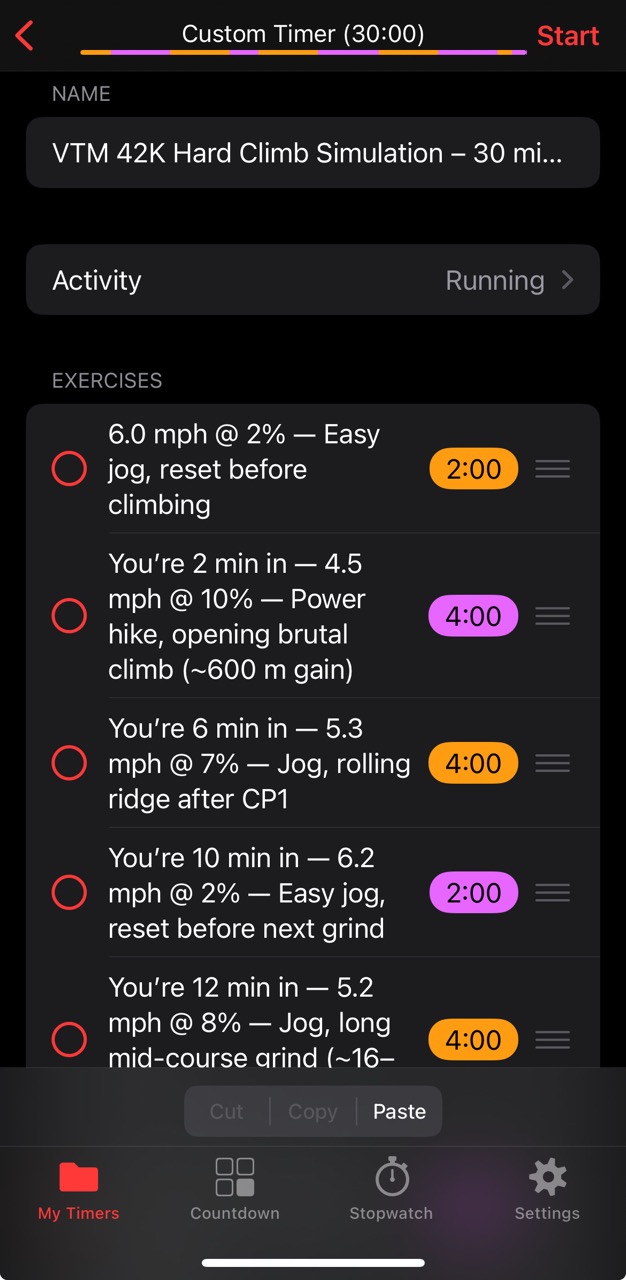
Build timers on mobile (or intervaltimer.com for the basics), then maintain a small JSON library of segments:
name, duration (sec), color, sound, and notes.
Templates cover runs (tempo/interval/incline), strength (sets/rest/load prompts), and hybrid days.
Spoken cues remove guesswork so the session matches the prescription—no slipping 30–60 seconds past a change.
Accurate timing = accurate totals. When each segment starts/ends on cue, the overall distance, duration,
and pacing stay true to plan—useful for progress reviews and picking future sessions.
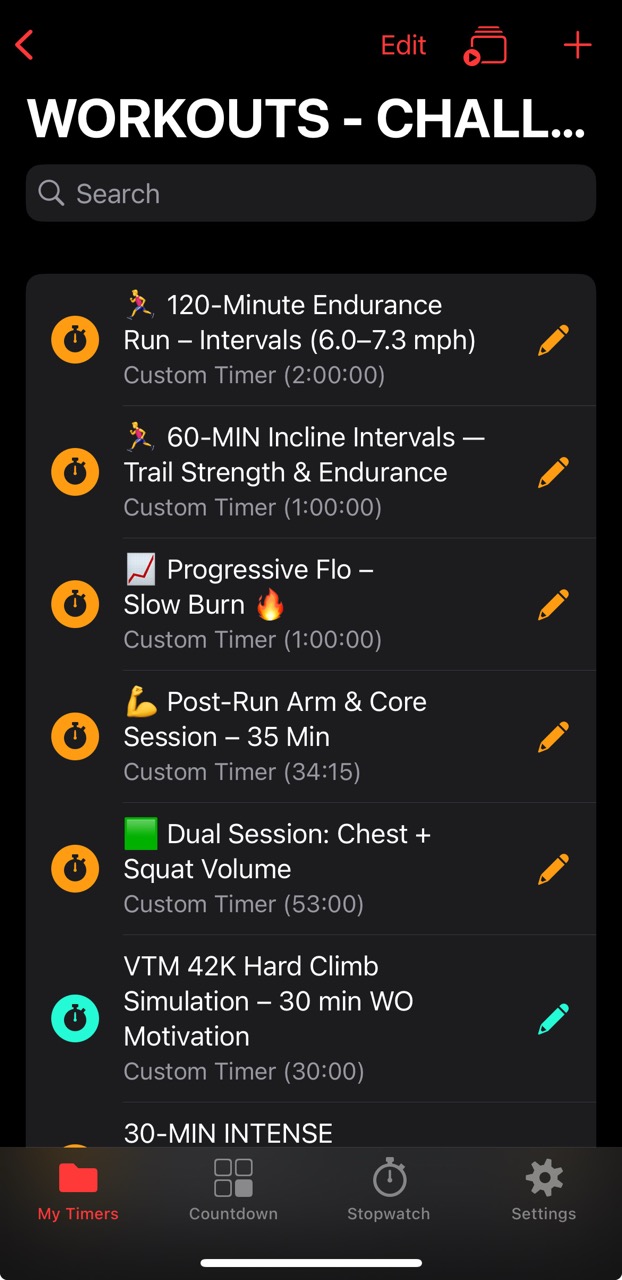
I tag templates by time budget (e.g., “30-min incline, w/ motivation”) so I can grab the right one for the day.
Exact timing preserves distance math on treadmills
Mid-effort decisions are costly. Spoken prompts reduce attention switching and preserve rhythm,
which helps maintain form, pacing, and perceived exertion. For harder sessions (e.g., incline ladders),
well-timed cues act like a lightweight pacer.
Fewer mental context shifts → steadier execution
Form stays cleaner without holding/peering at phone
I keep a living reference of the Seconds Pro JSON data structure and export/import examples for reuse.
This makes it easy to duplicate timers (e.g., add “with motivation” variants), change colors/sounds in bulk,
and keep versions archived for analysis. The Alternate Hype Cues collection organizes cue scripts by phase,
so I can drop Finishers or Mid-Set lines into any template without editing every segment.
Seconds Pro allows you to use music stored on your phone and align it with each timer segment, so that when a segment changes (e.g., recovery vs push), both you and the timer stay in sync.
Your mood and effort shift with the sound or tempo (e.g., beats per minute), helping the music reinforce the task at hand.
I haven’t fully explored that aspect of the app, but most likely—if you’re like me—you’ll be listening through a third-party audio application such as YouTube, Spotify, or Audible.
⚠️ If Open in Drive or Pop-out displays an error such as
"There was a problem playing this video" or "Unable to load video", try refreshing the page.
If the issue persists, make sure you're using Google Chrome instead of Microsoft Edge.
Loading video...
The video "Seconds Pro, Nate & Liz (Easy) Treadmill (Sample), Screen Recording With Music 09.01.2025" is a 3 minute, 30 second timer and a prime example of how I’ve designed my timers for both comedic pleasure and performance.
Spotify was playing “Habit” by Still Woozy followed by “Hot Air Balloon” by Don Diablo & AR/CO.
You can also obtain the full JSON description for this 3m30s sample
here, under the timer name “Liz & Nate Treadmill (Easy) – 3m30s Sample”.
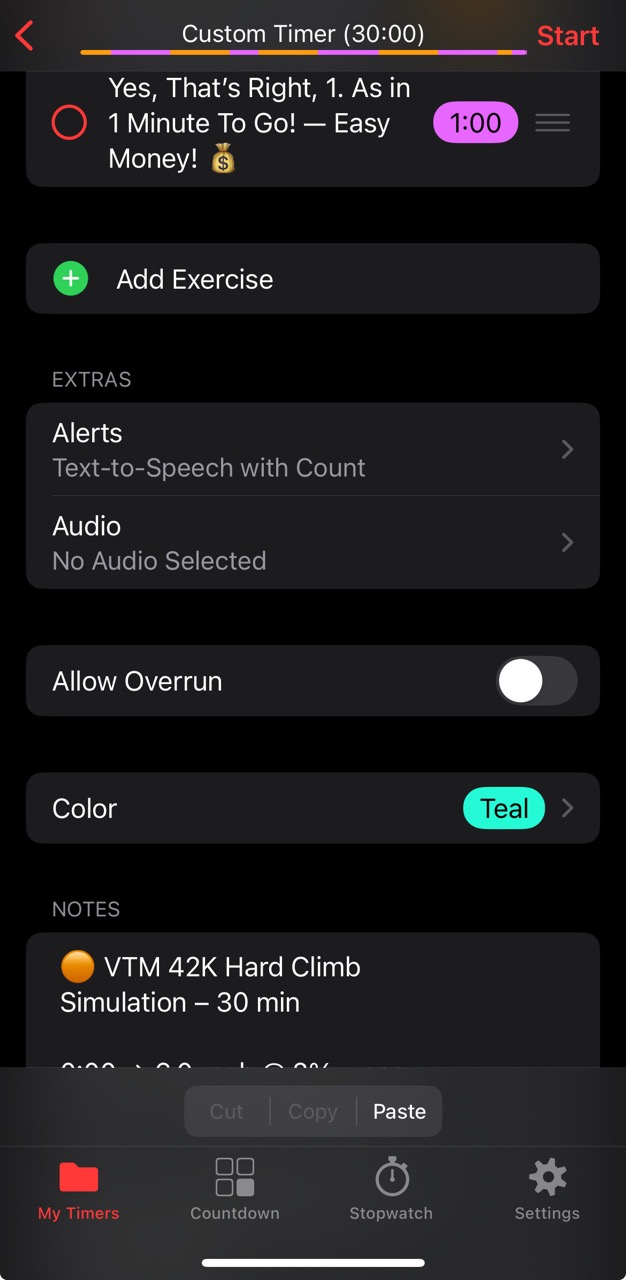
In terms of comedic pleasure, you'll know what I mean if you've gone through towards the end of most of these samples. I’ve integrated a 1-minute--Yes, That's Right, 1. As in 1 Minute To Go!--cue based on the available Alert settings.
These can be applied per segment within a timer, though I’ve kept mine consistent across all segments.
This specific Alert—“Text-to-Speech with Count”—is assigned to soundScheme: 5.
You can find more Alerts and Configuration Options
here.
Finally, at the end of the session you’ll notice a subtle good job message: “Session Complete. G G.”
This is configured in the Custom End Message of the Sound Settings within the app and applies universally at the end of all timers.
The video
"Seconds Pro Timer Update for Glide Workout Session, Video Tutorial 10.08.2025"
demonstrates how I integrate Seconds Pro into the Ken Does Athletics Glide application for session planning and in-session activity tracking.
Allow my assistant, Samantha (Seconds Pro’s voice guide), to walk you through the step-by-step process of analyzing stats to modify the JSON timer, syncing it with Seconds Pro and Session Templates, and then designing a Workout Session Plan utilizing that template.
Studies show that motivation can shape endurance, strength, and skill performance.
Both external cues and self-talk affect fatigue tolerance and execution,
though with different reliability.
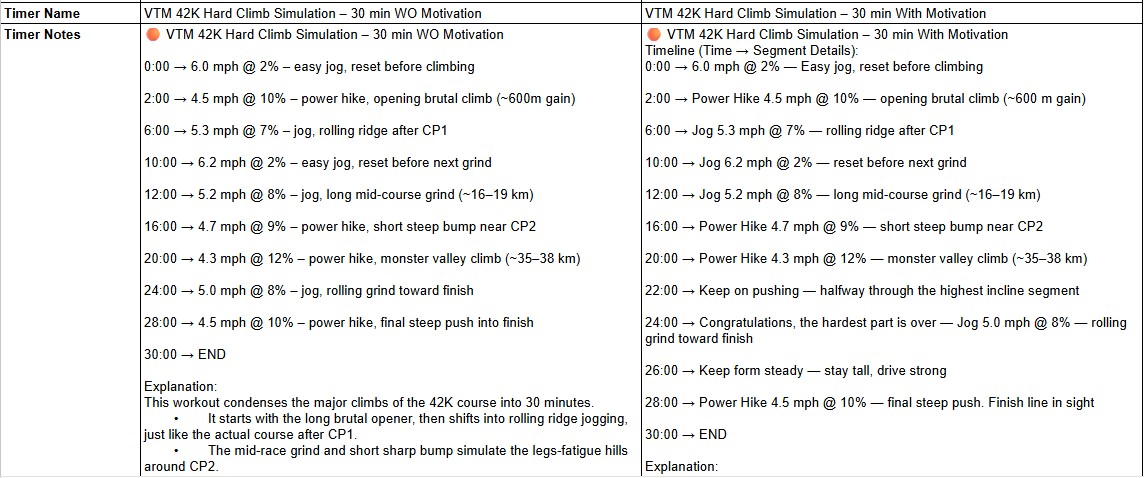
Without MotivationWith MotivationFull Comparison between Timers
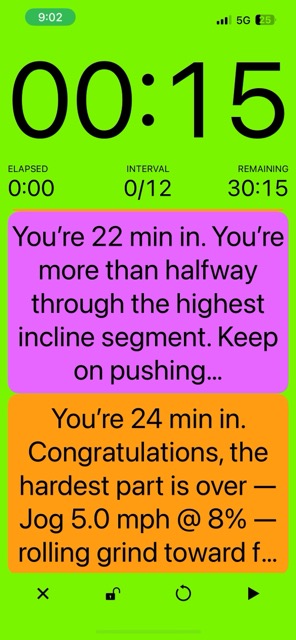
These prompts—often applied after failure—have helped me push through the subjectively harder segments into the finished completion phase of my planned workout sessions.
Over time, this has built fatigue tolerance, supported progressive muscle adaptation, and reduced wasted muscular effort by maintaining better form under strain.
Examples and explanations of different Motivational Cues can be found at
Workout Cue Hype Library (Doc).
You can find--and use--these examples under the Category "Alternate Hype Cues" and column Timer Notes from the
Timer Exports/Imports and JSON Data (Sheet).
Just change the values (segment duration, name, other) to your preference. Update your own cue; whether it's from
Maybe a scripture? Movie quotes? "You Can Do It!"
Unless you upload the actual audio recording into your device and select, you'd likely be hearing Voice-To-Text from Patrick or Shante, or whomever you decide to listen to via Settings.
Better fidelity to plan: exact changeovers keep distance/time/pacing on target.
Reusable templates: once built, timers can be tagged by duration/goal for fast reuse.
Motivation when it counts: targeted prompts help push through sticking points.
Color coding: zones make effort changes obvious at a glance.
Reusable cue packs (Alternate Hype Cues): swap Finishers, Mid-Set, Warm-Ups, or Cool-Downs into any timer without rebuilding.
Customization via imports & templates: JSON is less of a barrier with an existing data structure to help import and tweak templates directly. It helps unlock flexibility: variants, reusable libraries, and faster setup for workouts that are often repeated.
Limitations
Minimalist out of the box: Seconds Pro looks simple at first—basic segment editing, colors, sounds. The power only shows if you’re willing to dig into exports/imports.
Learning curve without guidance: figuring out JSON alone can feel like wasted time. With a guide (or AI help), it flips into a strength, but without it, other timer apps may feel easier at the start.
Mobile editing at scale is clunky: best practice is still to maintain exports/imports for larger libraries.
Desktop builder is limited: intervaltimer.com exposes only basics (names, durations, colors), not advanced settings like sounds or notes.
No central web dashboard: versioning, archives, and template libraries live in Docs/Drive, unlike some competing apps that offer cloud dashboards or built-in sharing.
Competition exists: apps like SmartWOD or Strong Timer may feel friendlier to casual users with polished presets and less tinkering required—but they often sacrifice the deep flexibility that Seconds Pro can offer once you unlock its structure.